
Use KPI dashboards to drive data-driven decision making
A practical playbook for selecting meaningful KPIs, designing action ready dashboards, and automating data flows so your team makes faster, smarter decisions.
Milton Brooks
9/25/20242 min read

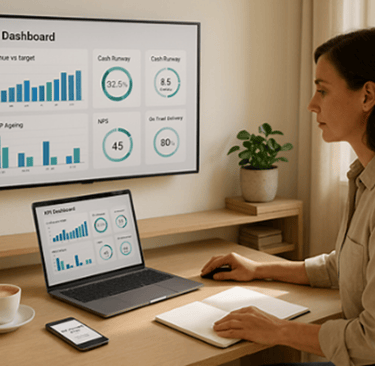
“Without data, you’re just another person with an opinion.”
— W. Edwards Deming
Disclaimer
The insights in this blog are for informational purposes only and should not replace professional financial, legal, or technical advice. Always ensure your data collection and reporting comply with privacy, security, and regulatory requirements applicable to your business.
Introduction
Dashboards turn raw data into decisions. When your team can see the right KPIs at the right time, you move faster, focus on what matters, and course‑correct before small issues become costly problems. A well‑designed KPI system helps you:
Align daily actions to strategic goals
Spot trends and anomalies early with clear thresholds
Share a single source of truth across teams and locations
Whether you’re operating in Perth, selling across Australia, or managing remote teams, dashboards make performance visible and accountability simple.
Strategy 1: Define the right KPIs and ownership
Connect to strategy: Start with business goals (growth, margin, cashflow, customer experience) and choose KPIs that directly measure progress.
Balance leading and lagging: Combine predictive metrics (pipeline coverage, on‑time delivery) with outcomes (revenue, gross margin, NPS).
Make them SMART: Specify clear definitions, targets, and timeframes so there’s no ambiguity.
Create a data dictionary: Document formulas, sources, refresh cadence, and owner for each KPI to avoid disputes.
Assign accountability: Give every KPI a single owner responsible for data quality and commentary.
Strategy 2: Design dashboards for clarity and action
Role‑based views: Build tailored pages for CEO (growth, cash, margin), Operations (WIP, throughput, defects), Finance (AR/AP ageing, runway, variance).
Keep visuals clean: Use minimal charts, intuitive colour coding, and consistent scales; avoid clutter that hides insights.
Add thresholds and alerts: Define green/amber/red bands and trigger notifications for exceptions or trend breaks.
Enable drill‑through: Let users jump from a chart to the underlying transactions for rapid investigation.
Make it accessible: Optimise for desktop and mobile; schedule weekly snapshot emails and monthly board packs.
Strategy 3: Integrate sources and ensure data quality
Connect core systems: Link accounting, CRM, ecommerce/POS, project tools, and support platforms for end‑to‑end visibility.
Automate refresh: Use scheduled data syncs so dashboards update without manual exports.
Validate routinely: Run checks for duplicates, missing fields, and outliers; log and fix data issues at the source.
Secure access: Apply role‑based permissions and MFA; mask sensitive fields where appropriate.
Version and iterate: Track dashboard changes, gather feedback, and improve quarterly to prevent dashboard sprawl.
Implementation checklist
Map strategic goals to a shortlist of KPIs with definitions and owners
Build role‑based dashboard layouts with clean visuals and thresholds
Connect key data sources and automate the refresh schedule
Set up alerts and snapshot reports for leaders and teams
Pilot with a small group, collect feedback, and iterate to v1.1
Next steps
This week: List your top 8–12 KPIs by function and draft the data dictionary (definition, source, owner, refresh).
Within 14 days: Build v1 dashboards, connect live data, and enable alerts for critical thresholds.
Within 30 days: Run a review cycle: compare results to targets, capture commentary, and refine visuals and KPIs.
Useful AI prompts
“Recommend leading and lagging KPIs for Sales, Operations, and Finance in a Perth‑based SMB.”
“Write a data dictionary entry for Gross Margin %, AR Ageing, and Customer Churn with formulas and data sources.”
“Design a one‑page executive dashboard layout prioritising growth, cash, and customer metrics.”
“Analyse last month’s KPI dashboard and draft narrative insights with three corrective actions.”
“Suggest alert thresholds and escalation rules for cash runway, overdue invoices, and on‑time delivery.”
About Mission Command Business
Mission Command Business equips small enterprises with strategic frameworks and operational tools. From financial management and business direction & support, to people & workplace management, and systems & processes, we help you unlock sustainable growth and lasting impact.